CDT ExpenseTracker: Clearer Cost Tracking for Canadian Businesses
Every business spends money to deliver its work. The challenge is keeping every expense organised well enough to understand where money is going. CDT ExpenseTracker helps Canadian businesses record, categorise, and review business costs inside the CDT Growth dashboard.
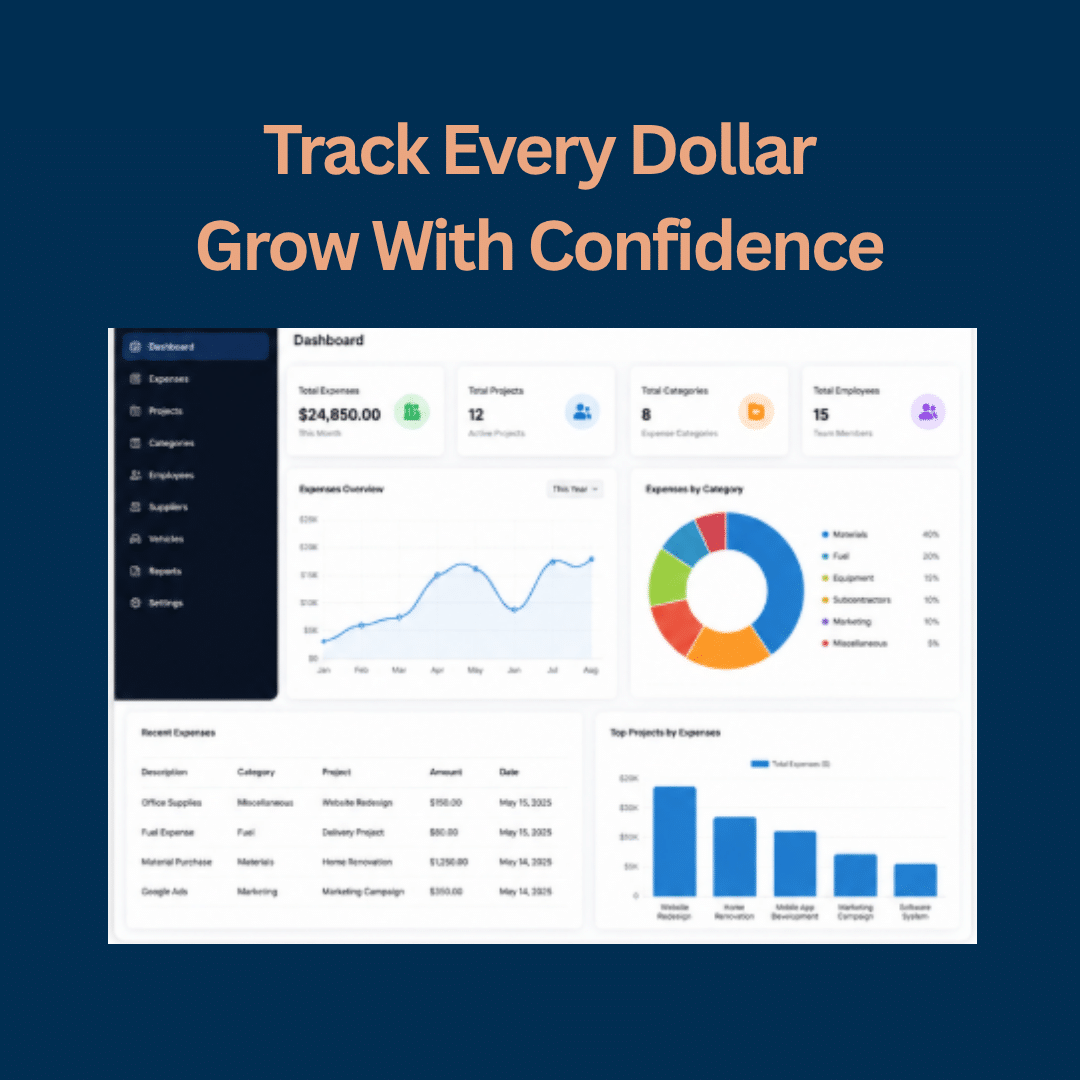
CDT ExpenseTracker is being added to CDT Growth to give owners and teams a simpler way to track each business expense by category, project, employee, or another meaningful part of the business. It is built to support clearer monthly and yearly reporting from one practical dashboard.
What is CDT ExpenseTracker?
CDT ExpenseTracker is a cost-tracking tool for businesses that want a more organised view of day-to-day spending. Instead of relying only on scattered receipts, memory, or a spreadsheet that is difficult to keep current, a business can create its own expense categories and start recording costs in a consistent place.
A category could represent supplies, fuel, software, equipment, subcontractors, advertising, office costs, travel, or another expense area that matters to the company. The point is not to force every business into the same template. The point is to make costs easier to enter, find, and review.
Built around your categories
Set up expense categories that reflect the way your business actually operates, then add costs under the right heading.
Useful operational context
Connect a cost to a project, employee, or other relevant business record when that context helps your team understand the spend.
Monthly and yearly visibility
Generate reporting that helps you review spending patterns over the period that matters to your next decision.
One practical dashboard
Keep expense tracking within CDT Growth, where business owners and teams can access the tools built to support everyday operations.
Why cost visibility matters
Revenue is only one side of a healthy business. Owners also need a practical view of what it takes to deliver the work. When costs are unclear, it is harder to spot a project that is using more time or money than expected, a category that is growing too quickly, or a recurring expense that deserves a second look.
ExpenseTracker is designed to make those conversations easier. It creates a clearer operational record so the business can ask better questions and make decisions using real information instead of assumptions.
How business expense tracking works in CDT Growth
The workflow is straightforward: create categories that fit your business, record a cost with the details that matter, and use reporting to look back at the month or year. If a cost relates to a particular project or employee, that context can be included too.
This approach works for many types of businesses because it begins with the business’s own structure. A contractor may organise costs around materials, crews, and jobs. A professional service business may focus on subscriptions, travel, software, and marketing. A retailer may want clearer visibility around stock-related costs, delivery, and promotions.
Expense tracking inside the CDT Growth dashboard
CDT Growth brings practical business tools into one dashboard. ExpenseTracker gives owners and teams a clearer place to record each expense and review the costs behind the work they deliver. It adds visibility to an important part of day-to-day operations without asking teams to rely only on memory or scattered notes.
ClientConnect CRM
Organise leads, contacts, pipeline activity, tasks, and follow-up with more clarity.
QuoteCraft
Create and manage quotations and proposals for incoming opportunities and approved work.
InvoicePilot
Support a more organised billing process with invoice management and payment workflows.
CDT ExpenseTracker
Record each cost by category, add project or employee context, and review reports more easily.
For businesses that need a stronger foundation before adding systems, CDT can also support the digital front end through WordPress website design, custom website development, and e-commerce website development. A well-built website can capture more qualified leads, while CDT Growth gives the business practical tools to manage the work behind them.
Who can benefit from CDT ExpenseTracker?
Expense tracking is useful whenever a business needs a cleaner operational picture of where money is being used. That can include small businesses building better habits, growing teams managing more projects, and established companies looking to bring more visibility into routine costs.
- Service businesses tracking jobs, crews, materials, or travel
- Professional businesses reviewing technology, marketing, and operating costs
- Retailers and e-commerce businesses organising recurring business expenses
- Property, trade, wellness, and appointment-based businesses managing project-related spending
From visibility to stronger growth decisions
Better cost records do not replace strategy, but they make strategy more grounded. When you can see spending patterns more clearly, you can have more focused conversations about pricing, project planning, marketing investment, staffing, and operational improvements.
CDT also helps businesses earn visibility through SEO services, PPC advertising, social media marketing, and digital marketing strategy. The goal is a stronger business foundation where visibility, leads, customer management, invoicing, and cost awareness are all easier to manage.
Frequently asked questions about CDT ExpenseTracker
What is CDT ExpenseTracker?
CDT ExpenseTracker is a CDT Growth tool that helps businesses record and organise costs by category, with the option to associate costs with projects, employees, or other useful context. It supports monthly and yearly reporting for clearer operational visibility.
Can I create my own expense categories?
Yes. Categories can reflect the structure of your own business, such as supplies, software, fuel, advertising, equipment, subcontractors, or other operating costs.
Can I track a cost against a project or employee?
Yes. When a cost relates to a specific project or employee, adding that context can make later review and reporting more meaningful.
Can I generate monthly and yearly reports?
Yes. CDT ExpenseTracker is designed to support monthly and yearly reporting so businesses can review spending patterns over time.
What details can I add for each expense?
You can record each expense under the category you create and add relevant context, such as the related project or employee, when that helps your business review costs later.
Where can I access CDT ExpenseTracker?
CDT ExpenseTracker is available within the CDT Growth dashboard, giving your business a practical place to add and review costs.
Build a clearer view of the business behind the work
CDT ExpenseTracker is part of CDT Growth’s practical approach to business operations. If you want a stronger website, better lead handling, organised quotes and invoices, or clearer cost visibility, Canadian Development Technology can help you build the right next step.